
720p / 1080p
24 fps MP4 across 16:9, 9:16, 1:1, 3:2, and 2:3 frames.
Create videos with LTX 2.5.
Explore other video models for text, image, and reference workflows.
Create 24 fps MP4 clips with synchronized native audio directly from written scene and sound prompts. Pick LTX 2.5 Fast for 6–20 second multi-beat sequences or LTX 2.5 Pro for sharper 6–10 second detail.
24 fps MP4 across 16:9, 9:16, 1:1, 3:2, and 2:3 frames.
LTX 2.5 Fast supports 6–20s (2s steps); LTX 2.5 Pro supports 6–10s.
Generates synchronized ambience, sound effects, and dialogue in one pass.
Choose between extended pacing and higher rendering fidelity while seeing exact per-second credits before generating.
Use LTX 2.5 Fast for longer 6–20 second scenes and quick pacing drafts, or switch to LTX 2.5 Pro for finer 6–10 second textures and lighting.
Describe camera framing, physical action, ambient sound, and impact cues together so audio and visuals stay locked at 24 fps.
Switch cleanly between 16:9, 9:16, 1:1, 3:2, and 2:3 at 720p or 1080p with transparent per-second credit quotes on the submit button.
Combine scene movement, surface lighting, and synchronized audio cues in a single text prompt.
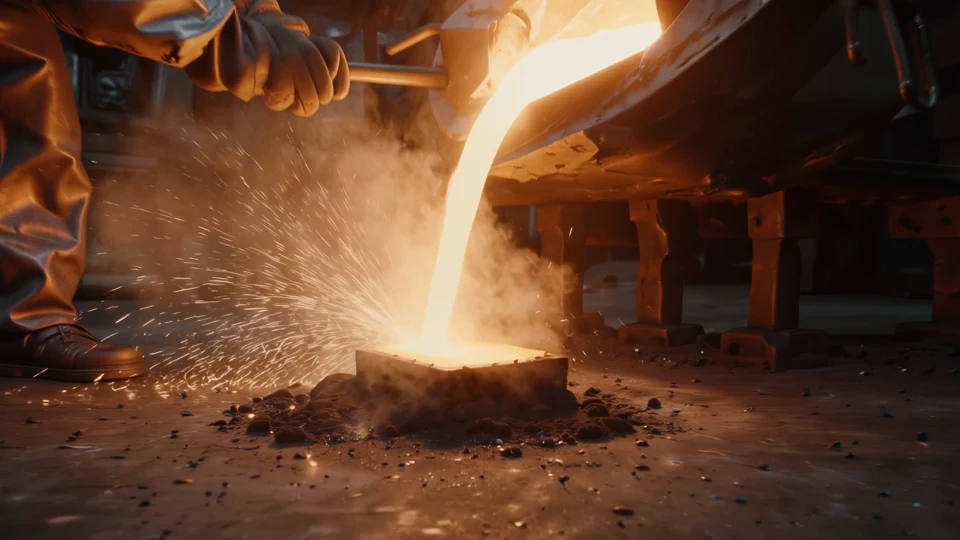
Stretch a continuous shot up to 20 seconds in LTX 2.5 Fast when a reveal, camera push, or walk-through needs room to unfold.
Render reflective glass, sparks, steam, and fabric texture with sharper frame-to-frame stability in 6–10 second Pro clips.
Pair visual beats with specific footsteps, crackling fire, rain, or room tone so the finished MP4 arrives ready to cut.
Select Fast when you need 12–20 second sequences or lower credit cost, or Pro when visual detail is the priority.
Write the subject, setting, camera move, lighting, and the exact ambient or impact sounds you want heard.
Choose an aspect ratio, 720p or 1080p, and an even duration, verify the credit quote, and generate.
LTX 2.5 · FAQ
LTX 2.5 Fast supports 6 to 20 seconds in 2-second steps at a lower per-second credit rate. LTX 2.5 Pro runs 6, 8, or 10 seconds with higher visual detail.
No. This integration runs LTX 2.5 in text-to-video mode only, so generation starts strictly from your text prompt.
Yes. Native synchronized audio—including ambience, sound effects, and spoken cues described in your prompt—is generated alongside the 24 fps video.
Both tiers export 24 fps MP4 in 720p or 1080p across 16:9, 9:16, 1:1, 3:2, and 2:3. Fast allows 6–20s and Pro allows 6–10s in 2-second increments.
Credits scale linearly by output duration and selected resolution (720p vs 1080p), plus Fast vs Pro tier. The exact quote updates live before you submit.
Write one prompt for picture and sound, pick Fast or Pro, and export 720p or 1080p 24 fps video.