
01
Choose a clear portrait
Use one clear photo of the subject.
Go from an airport gate to a neon-lit street with a hand-circle cut.
Choose settings and write your own prompt on another model page.
Go from an airport gate to a neon-lit street with a hand-circle cut. Vertical, 7 seconds at 720p, with sound.
A traveler makes a finger circle at the gate, then appears on a city street at night.
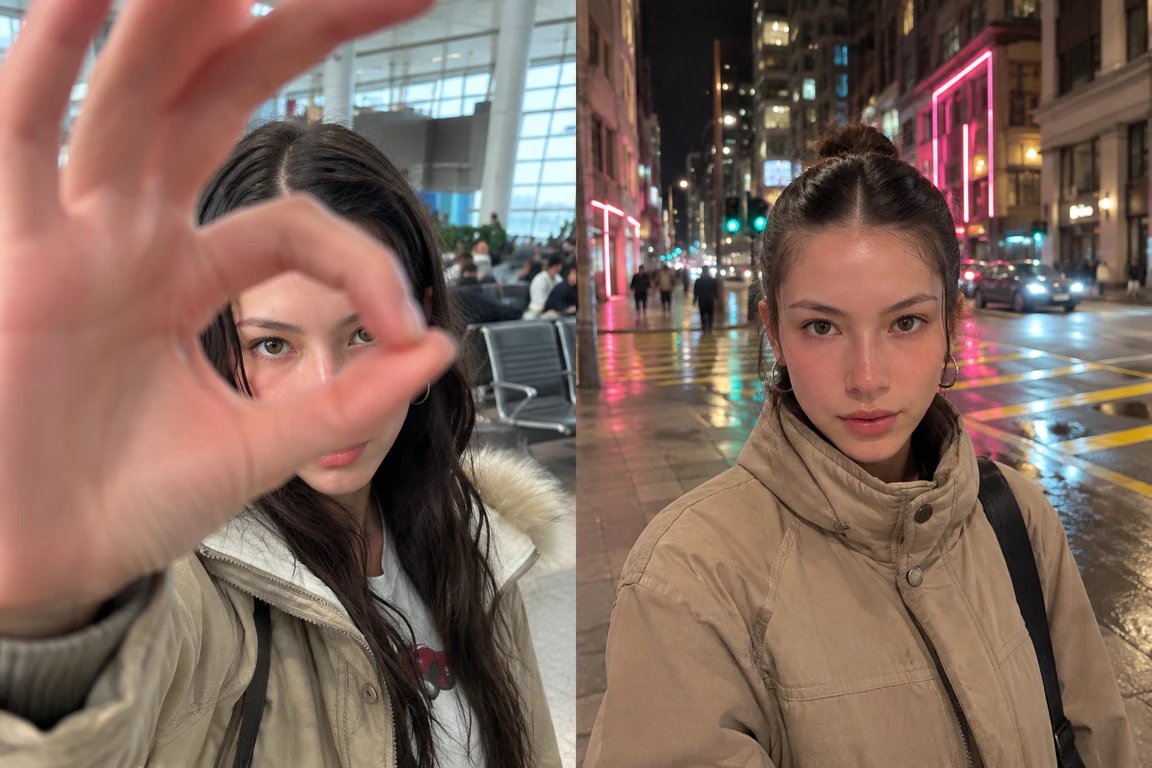
Frame one traveler at eye level, with airport seats and window light behind them.
Touch the tip of the index finger to the tip of the thumb to make a closed OK ring. Keep the fingertips touching as the hand nears the lens. Cut while the traveler’s face is framed inside the opening.
Start the night scene with the same face inside the same ring. Then lower the hand to reveal the brightly lit street.
Use one clear photo of the subject.
Use golden window light in the airport.
Check the credit estimate before generating.
Questions before generating
Use one clear photo of the subject.
Vertical, 7 seconds at 720p, with sound. The sound switches from terminal ambience to street traffic at the cut.
Check that the two fingertips meet before the cut and that the face stays aligned as the background changes.
Vertical, 7 seconds at 720p, with sound.
Go from an airport gate to a neon-lit street with a hand-circle cut.