
2 adult portraits
Use two different, clear adult portraits, with one person in each photo. The first is the requester; the second turns. Avoid sunglasses, face coverings and group shots.
Two portraits, a 360-degree spin and a laugh neither of you can hide.
Open a model page to create a different scene with your own prompt.
Give the joke two familiar faces. The first photo asks for the turn and laughs; the second spins and answers the camera. Clear role assignments matter more than a complicated background.
Use two different, clear adult portraits, with one person in each photo. The first is the requester; the second turns. Avoid sunglasses, face coverings and group shots.
Watch the whole spin, both identities, the hands and each spoken line. Generated dialogue and lip movement may not align perfectly.
Review the current credit quote before submitting. A new attempt is a new generation.
Assign the requester to photo one and the spinner to photo two. Swap the photos before generating if the roles are reversed.
A simple studio keeps the full turn readable. You can suggest a setting or outfit in Extra details without changing the action sequence.
Watch the whole spin, both identities, the hands and each spoken line. Generated dialogue and lip movement may not align perfectly.
Can You Make It Cap connects two characters, a full turn and a reaction into one short scene. Your portraits guide the cast; the preset supplies the action and dialogue.
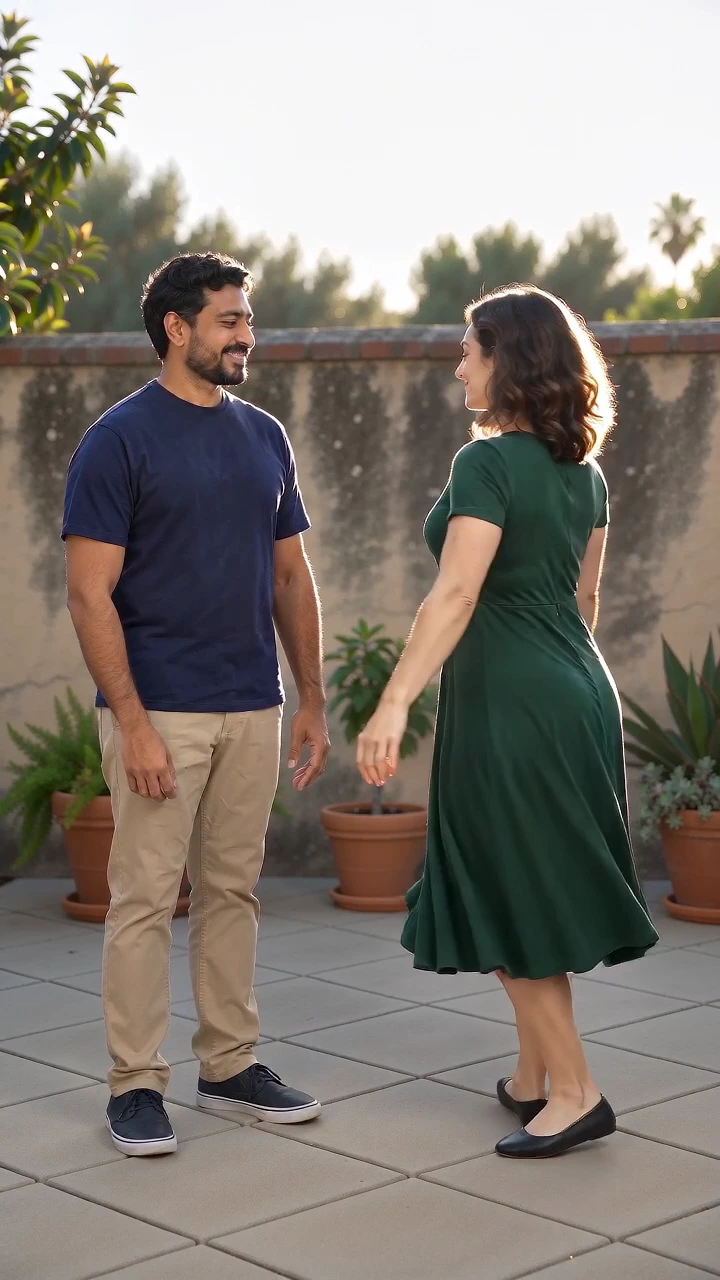
One person asks for a spin and laughs; the other turns and replies to the camera. Each reference guides a separate face, hairstyle and outfit, so the exchange centers on the two adults you choose.
The spin is directed as a full-body shot with a fixed camera, followed by a hand-over-mouth laugh and a deadpan reply. The change in reactions gives the scene its rhythm; the setting and clothing can be adjusted in Extra details.
Short English lines, laughter and room ambience are generated with the 15-second vertical video. Wording, movement timing and lip sync can vary, so review the whole exchange before sharing.
Upload one clear adult portrait per role. Check the labels and swap the photos if needed.
Optionally describe the setting or clothing. The request, turn, laugh and reply are already included.
Check the quote, generate the 15-second video, then review the faces, motion and English dialogue before sharing.
Questions before you generate
This preset requires two different photos, one adult per role. It does not fill the other role with a stock person.
It asks the model to generate the short English exchange and laughter. It does not attach or reproduce an original recording.
The default exchange stays in English. You can request another language in Extra details, but exact wording and lip sync can vary.
The main scene is already prepared. Extra details are optional and should stay focused on this effect.
The Generate button shows the current quote for this preset. Review it before submitting; another attempt uses a new quote.
Each video is newly generated. Faces, shapes, motion and speech can vary. Review the complete result before sharing.
Put two adults into a short exchange: a request to turn around, a full spin, laughter behind a hand and a deadpan reply. Upload one portrait for each role.