
2 photos
Use a clear photo of a different adult for each role, with face and outfit visible.
Cast two people in a cafe comedy about choosing the wrong seat.
Open a model page to create a different scene with your own prompt.
Use two portraits to recreate the cafe gag. One guest sits on the left table and moves to the bench after seeing how the other guest sits.
Use a clear photo of a different adult for each role, with face and outfit visible.
The visitor climbs down, sits at the left end of the bench and uses the left table for their cup. The whole change plays in one fixed shot without dialogue.
The button shows the credit quote before you generate.
Use a clear photo of a different adult for each role, with face and outfit visible.
Optional: adjust clothing or light. The camera, two tables and seating sequence stay fixed.
The button shows the credit quote before you generate.
The preview shows an excerpt from @kkubi99’s video. The AI reenactment captures the moment the guest on the left is still on the table while the other guest has taken a seat on the bench. The video generator adds a separate empty cafe image as a scene reference.
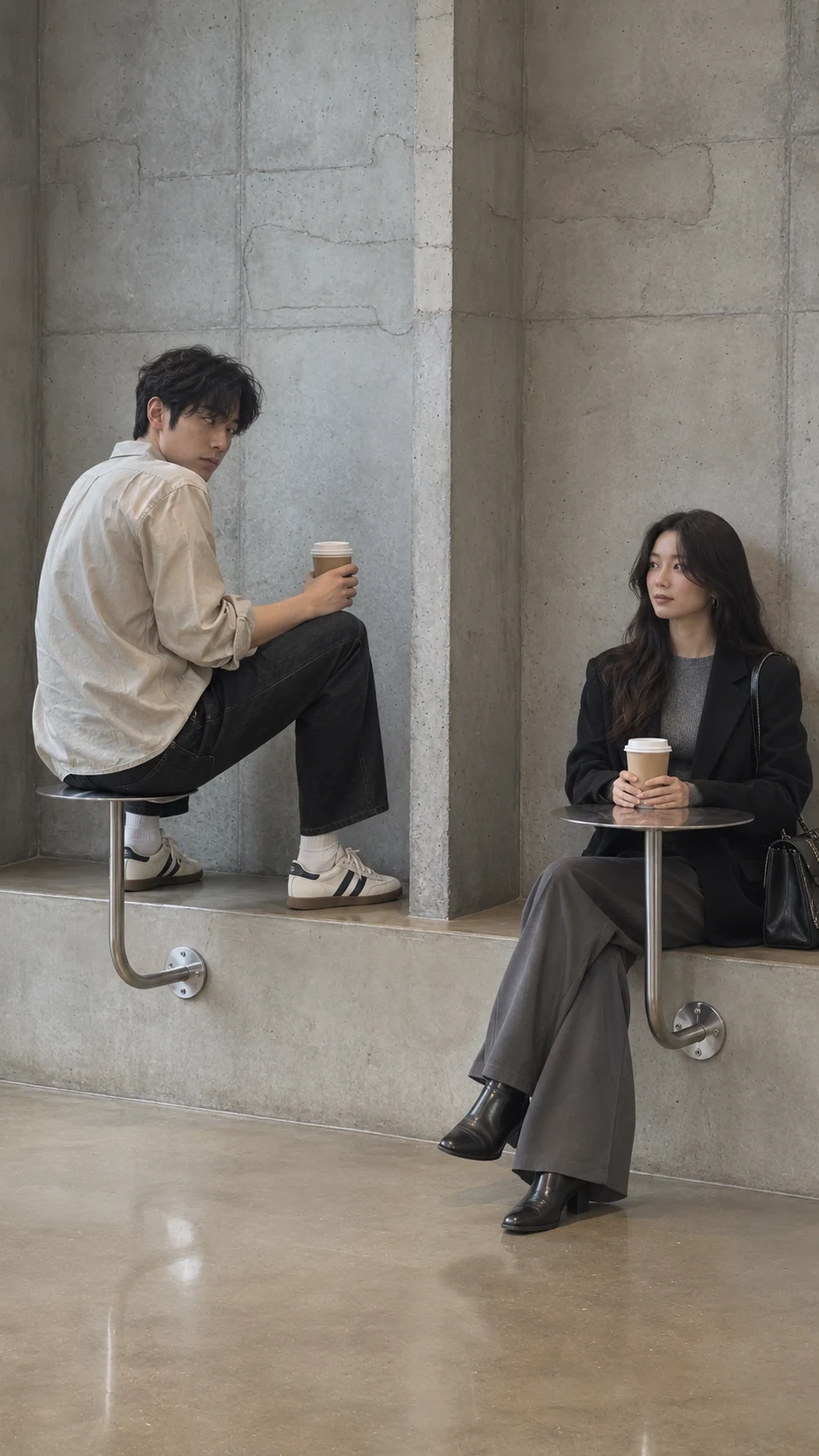
The opening holds on two separate round metal tables beside one concrete bench. The visitor is already sitting on the left tabletop, holding a cup.
The second customer enters from the right, sits on the bench and puts their cup on the right table. The visitor notices the difference in seat height.
The visitor climbs down, sits at the left end of the bench and uses the left table for their cup. The whole change plays in one fixed shot without dialogue.
Use a clear photo of a different adult for each role, with face and outfit visible.
Optional: adjust clothing or light. The camera, two tables and seating sequence stay fixed.
Review the quote, generate and see if someone can understand the mistake without an explanation.
Photos, generation and downloads
Crop it into two separate portraits, each showing just one adult, and upload them separately. Keep each face and outfit visible where possible. If your phone saved the photo as HEIC, export it as JPG, PNG, or WebP first.
Select the photo in either upload box to replace it before generating. The left box is for the guest who sits on the table, and the right box is for the guest who arrives from the right. You can fill the boxes in either order.
The finished video includes the same 15-second soundtrack as the preview at its original speed. Add the on-screen POV caption in a video editor after downloading.
The photos guide both characters, but faces and movements can vary. If the characters are hard to tell apart, try clearer faces and more distinct outfits. When reviewing the clip, check that each person stays in their role and the first guest steadies themselves on the bench before stepping down.
The preset makes a 15-second, 9:16 video at 720p with a soundtrack of the same length. For a shorter or landscape clip, edit the download and keep both guests and both tables in frame when reframing.
Each new submission starts a separate generation and uses the credits shown on the Generate button at that time. You can replay a finished clip without submitting again.
Once generation finishes, select the download icon in the results panel. Play the clip first to check the roles and where both guests end up sitting, then save the version you want.
Use two portraits to recreate the cafe gag. One guest sits on the left table and moves to the bench after seeing how the other guest sits.