
One portrait
Use a head-to-waist photo with clear arms and an unobstructed face.
Turn one portrait into a short bicep-heart video: smile, flex one arm and complete the heart with your other hand.
Open a model page to choose settings and write your own prompt.
One adult portrait guides the performer. Leave room for both arms; the final hand-to-arm contact is the detail to review.
Use a head-to-waist photo with clear arms and an unobstructed face.
Follow the smile, crossed arm, flex and final heart without scene changes.
The finished video includes the matching reference audio.
The small movement matters: the heart comes from the shape of your arm and hand, followed by a short hold.
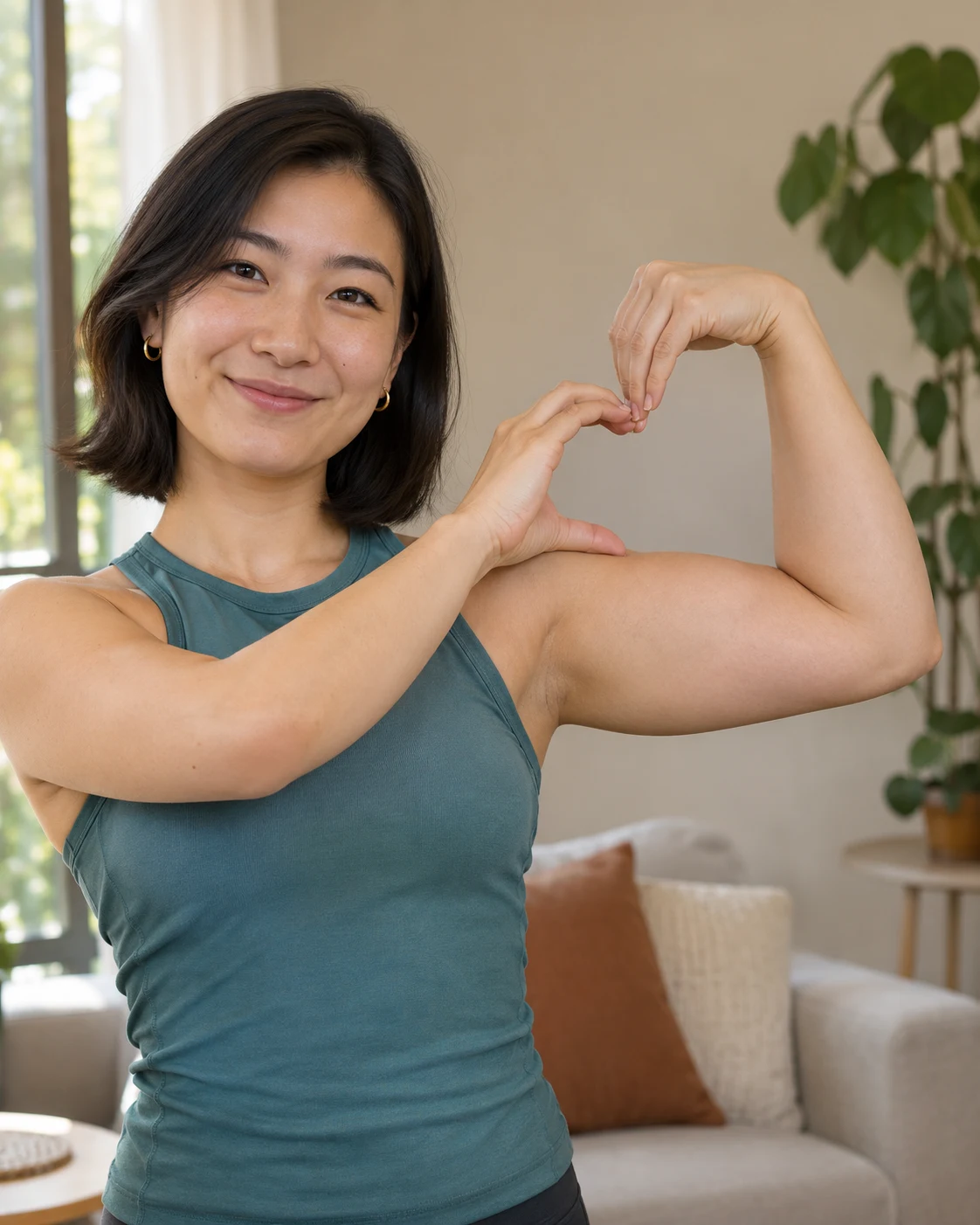
Leave room beside the head and across the chest. Cropped elbows or hidden hands give the model less guidance for the heart.
The other hand meets the inside of the bent arm. It is a physical outline made by the pose, rather than a graphic placed over the body.
The last moment lets the heart register. Watch the wrists, fingertips and face through the whole clip; precise contact can vary between generations.
Choose one adult with both arms visible, preferably in short sleeves.
Name glasses, clothing or other details to keep; retain the fixed gesture.
Review the credit quote, then check the complete motion and soundtrack before downloading.
Questions before generating
No. The preset requests your natural build. Short sleeves and enough space around the arms matter more than muscle size.
A face-only crop is a weak reference because it hides the arms. Use at least a head-to-waist photo with both arms visible.
This version is for one adult. Pet anatomy and two performers need different motion handling and are not offered here.
The model renders silent footage, then the matching reference audio is added to the result. No new spoken message or custom song is generated.
Hands must touch a specific part of the arm. Occlusion and tight crops can cause extra fingers or an unclear outline; inspect the full video before sharing.
Yes. Each new submission is a separate generation with its own displayed quote. Downloading an existing result does not create a new generation.
Turn one portrait into a short bicep-heart video: smile, flex one arm and complete the heart with your other hand.