
01
Upload one portrait
Use one clear adult portrait with permission, with the face visible and no other people.
Use one portrait to make a silent 7-second clip in which a similar-looking double joins the person in the same frame.
Choose settings and write your own prompt on another model page.
Use one portrait to make a silent 7-second clip in which a similar-looking double joins the person in the same frame.
The preset asks for a continuous two-person reveal from one photo; it does not verify or clone a real identity. The illustration shows the sketch double’s high-five from the video trend.
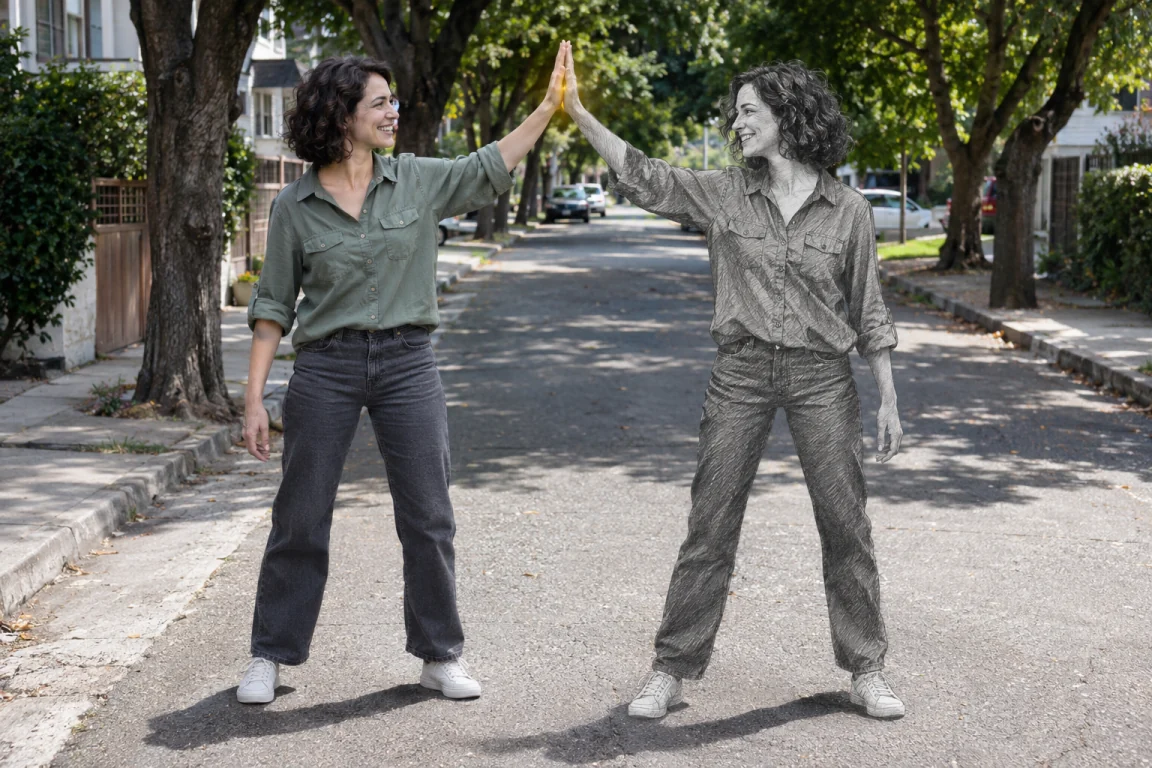
The opening frames show the person from your photo alone, leaving room beside them for the reveal.
A similar-looking double enters from the side and exchanges a glance with the first person. Matching clothes and appearance are visual directions, not an identity guarantee.
Both turn toward the camera for a brief final pose. The clip is silent; inspect faces, hands and whether the two figures remain separate.
Use one clear adult portrait with permission, with the face visible and no other people.
Optionally describe clothes, light or the background. The photo count and motion preset stay fixed.
Check the page credit quote, generate the clip and inspect the motion before sharing.
Questions before generating
No. It creates a generated, similar-looking double. Face similarity and continuity can vary; this is not identity verification or an exact replica.
Only with their permission. Do not use this effect for deceptive impersonation or an unconsented deepfake.
Add appearance, light or background notes. The preset keeps the solo opening, double entrance and shared pose; the model may interpret the timing differently.
Choose one well-lit adult portrait with a visible face and space around the body. Use your own photo or one you have permission to use.
This page uses a fixed 7-second vertical 720p preset with audio off. No original recording or soundtrack is added.
Every new submission is a separate task. Credits depend on the preset and inputs; check the current page quote before generating.
Use one portrait to make a silent 7-second clip in which a similar-looking double joins the person in the same frame.